resource area
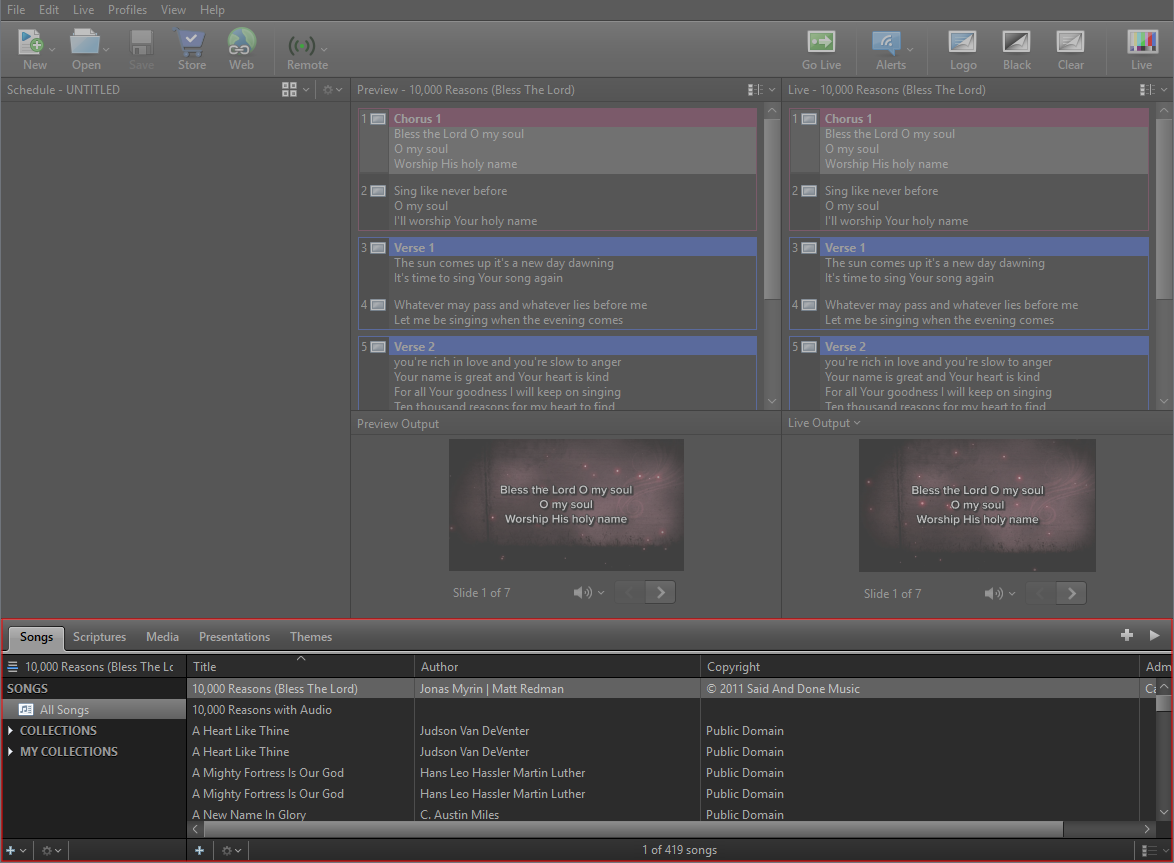
A collapsible Resource Area spans the bottom of the application. At the top are five tabbed libraries: Songs, Scriptures, Media, Presentations, and Themes. In the Preview and Live view and Preview and Live Combined, the Resource Area has two columns:
- Resource Listing tabs on the left.
- Resource Library and details in the middle.
In the Live with Resource Preview view, the Resource Area has three columns.
- Resource Listing tabs on the left.
- Resource Library and details in the middle.
- Compose Area on the right.
Additional menu options are in drop-down buttons in the bottom left of the Resource Listing and Resource Library, including Add Item and Action Menu buttons. In the Resource Library, there's an icon view drop-down with a slider that allows you to customize your view for thumbnails or list view.
Songs
Songs in the Resource Area will house any songs you've added to your song library. You can Add, Search, and Edit any of the songs in your database by right-clicking in the Song Library.
SEE Songs
Scriptures
Scriptures in the Resource Area will contain any Bible translations you've purchased and installed. There are also free Bibles available for install.
SEE Scriptures
Media
Media in the Resource Area will house any Videos, Images, Feeds, DVD clips, and Audio files you've added to your Media Library. Each media type has its own folder on the left in the Media Listing. If you subscribe to EasyWorship Premium, you can download any media listed when clicking on Premium Media.
SEE Media
Presentations
Presentations in the Resource Area will house any presentations you build in and PowerPoint slideshows. You’ll have a complete searchable library of presentations at your fingertips. No need to search your hard drive for a PowerPoint file when it’s right there in.
SEE Presentations
Themes
The Themes Area allows you to make templates that you can apply to scripture, songs, and presentations. Themes will be available in the editor for convenient access.
SEE Themes
Collections
The Resource Area gives you the power to create Collections based on criteria you define, i.e., you can create a Collection of songs that are written by the same author, or create a Collection of videos or images that have cross in the name.
SEE Collections