Foldback Scripture
To access the Options menu in EasyWorship, click Edit > Options.... In the bottom left corner of the Options window, there is a check-box next to Preview Output. Use this option to view changes on the output screen as you make them.
Enable Scripture Support
|
Enable support for displaying scriptures |
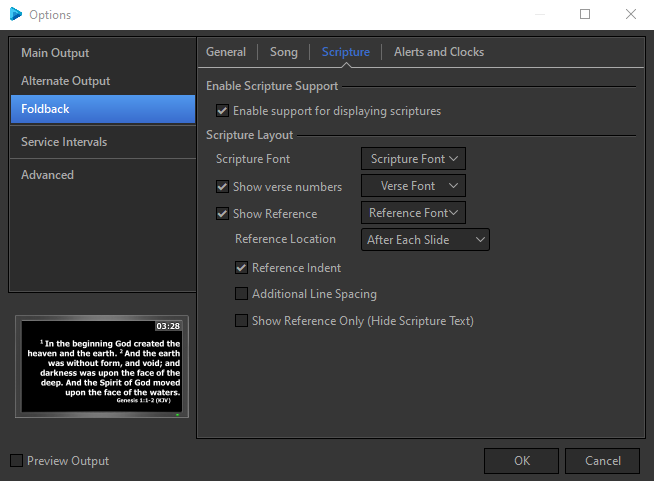
Checking this box tells EasyWorship to enable support for displaying scriptures (turns 's Scripture tab on). |
Scripture Layout
|
Scripture Font |
Refer to Default Font for information on the options in the Scripture Font window. |
|
Show verse numbers |
Checking this box tells EasyWorship to enable verse numbering in the scripture text. |
|
Verse Font |
Refer to Default Font "Default Font" on page 1for information on the options in the Verse Font window. |
|
Show Reference |
Checking this box tells EasyWorship to show the scripture reference on the output screen. |
|
Reference Font |
Refer to Default Font "Default Font" on page 1for information on the options in the Reference Font window. |
|
Reference Location |
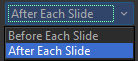
Allows you to place the scripture reference Before Each Slide or After Each Slide.
|
|
Reference Indent |
When this box is checked, EasyWorship indents the scripture reference. |
|
Additional Line Spacing |
When this box is checked, EasyWorship will add additional line spacing between the scripture and the reference. |
|
Show Reference Only (Hide Scripture Text) |
When this box is checked, EasyWorship will hide the text of the verses in the slide. The reference will use the reference font settings. If the slide is in edit mode, this setting is ignored. |