Edit A Profile
To change the settings or folder location of a profile:
- Click Profiles > Profiles Manager.
- Select the profile to be edited from the profile list on the left.
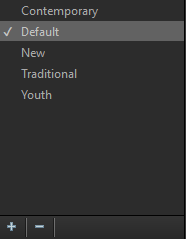
- Click the Edit button.
- The Edit Profile window appears with 3 tabs - General, Advanced, and Sort Order. At the bottom of the window, you can opt to use the newly-edited profile after edits are complete.
General Tab
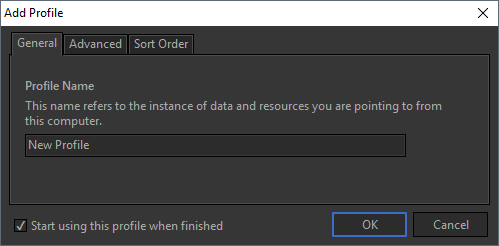
From this tab, you can edit the name of the profile.
Advanced Tab
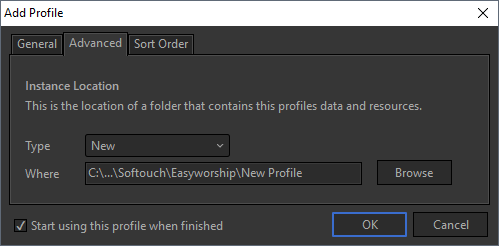
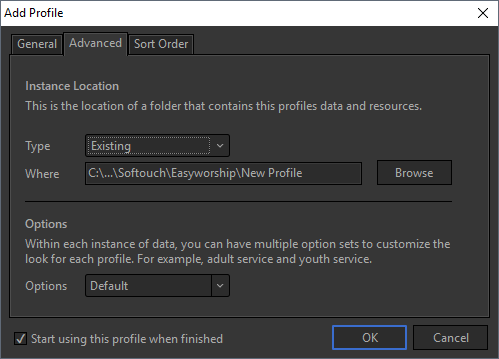
From here, you can change the Type of profile from New to Existing, specify where the profile is located, and change the Options that are associated with the profile.
Sort Order Tab
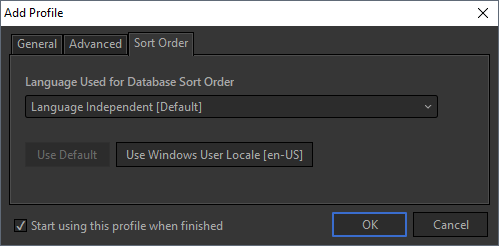
You can change the language used for the database sort order, for proper sorting in all languages.
SEE Create A New Profile for more information.