Web Pages
As long as you have an internet connection, you can add a web page to your schedule.
- Click Web
 on the toolbar.
 - Click Web in the browser window that appears.
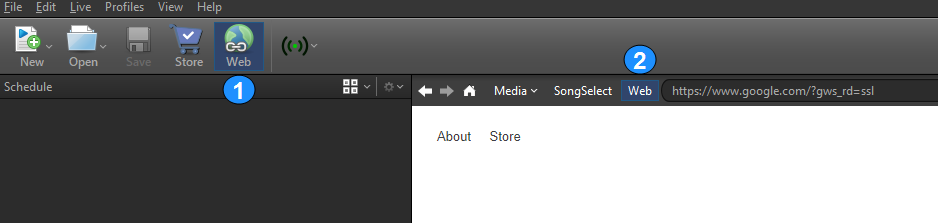
- In the address bar, enter the desired URL.
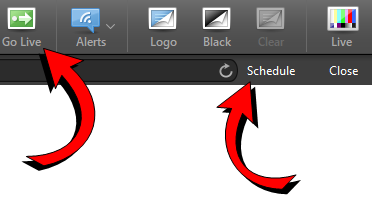
- Click Schedule in the upper-right of the browser window or simply click Go Live to send it directly to your live output.
NOTE Remember that this is only a link. You must maintain an internet connection for the web page to display.