Setting Up EasyWorship to use Alternate Output
If you want to set up your Alternate Output for a third monitor or for a live stream, the instructions below will walk you through the process.
NOTE You do need a separate video port on your computer to use Alternate Output unless you send it to an output via NDI. Also, please make sure your computer meets the system requirements for using Alternate Output.
- Open EasyWorship.
- Click Edit > Options... to open the Options window.
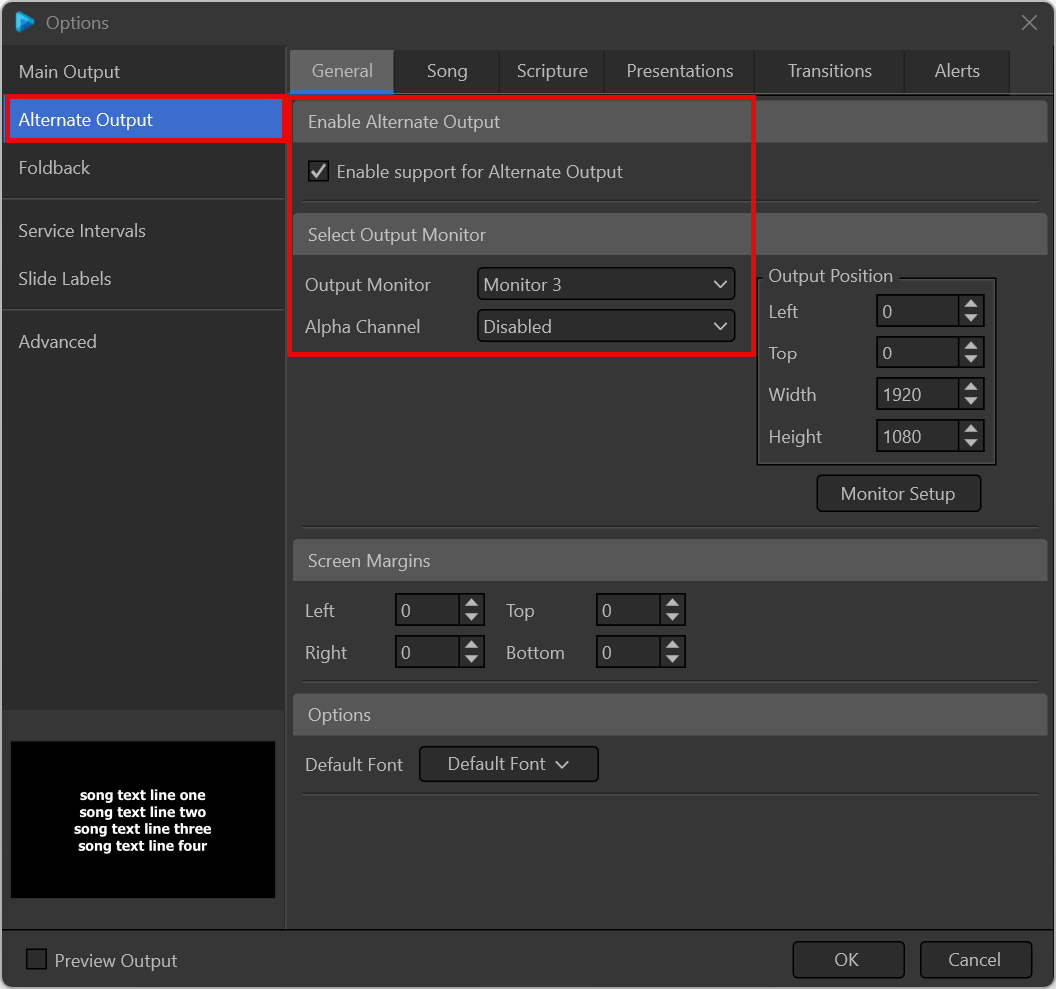
- Select Alternate Output on the left.
- Under the General tab, check the box to Enable support for display Alternate Output.
- Select Monitor 3 (or whatever monitor you want to send it to) from the Output Monitor drop-down list.
- Click OK.
NOTE If you want to send the Alternate Output to NDI for a live stream, choose NDI Stream from the Output Monitor drop-down.
SEE Alpha Channel Broadcast Setup for more information on enabling alpha channel.