Restore EasyWorship Data
The following instructions will help you restore your EasyWorship songs and media database from your USB or external drive back to your computer's hard drive.
IMPORTANT! Before starting this process, you will need the USB flash drive or external hard drive used in Backing up the EasyWorship data. In the steps below, we will call this your backup drive.
- Connect your backup drive that contains the EasyWorship data to the computer.
- Close all other programs and windows before starting.
- Open the Windows File Explorer on the computer by holding down the windows logo key on the keyboard
 and pressing the E key OR click the Folder Icon
  on the Windows taskbar.
 - Click on your backup drive from the menu on the left side of the window.
- Highlight both folders (Resources and v6.1) that you backed up from the 'old computer'. (You can hold down the Ctrl key on the keyboard and click each folder to highlight them)
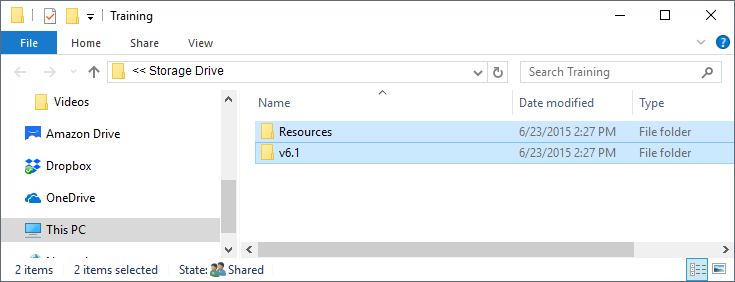
- Right click on either one of the selected folders and click Copy. (you won't see anything happen)
- You are done with this window, Close it.
- Open EasyWorship.
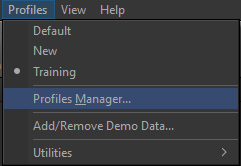
- Click on the Profiles menu.
- Click Profiles Manager.
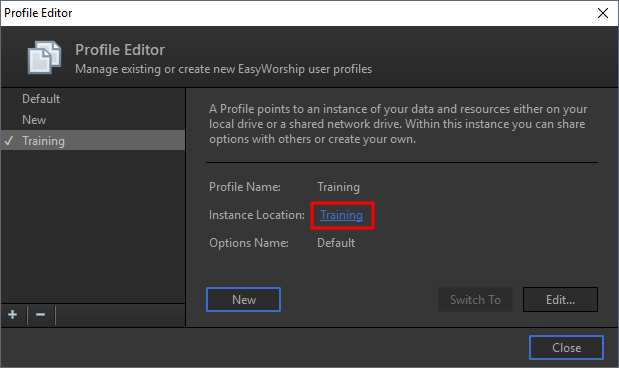
- In the middle of that window, click on the blue link next to the words 'Instance Location'.
- A new Windows File Explorer window will open. Do not close this window. Click the Minus sign
 in the top right corner to minimize it to your Windows taskbar.
 - Click Close on the Profile Editor in EasyWorship.
- Close EasyWorship.
- Restore the Windows File Explorer by clicking on the Windows folder Icon on the taskbar.
- You should now see the File Explorer window that appeared on step #12. (when you clicked the link next to Instance Location).
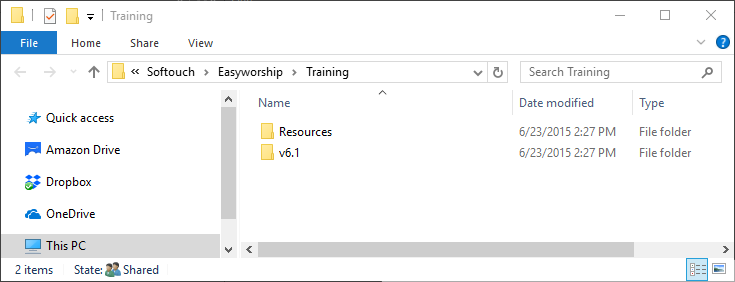
- Right click on each folder (Resources and v6.1) in this window and Rename them by adding the number 2 after the folder name. (Resources2, v6.12)
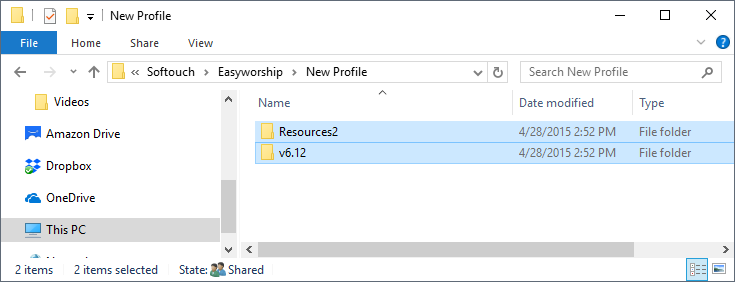
- Right click in a blank area in that same window and click Paste.
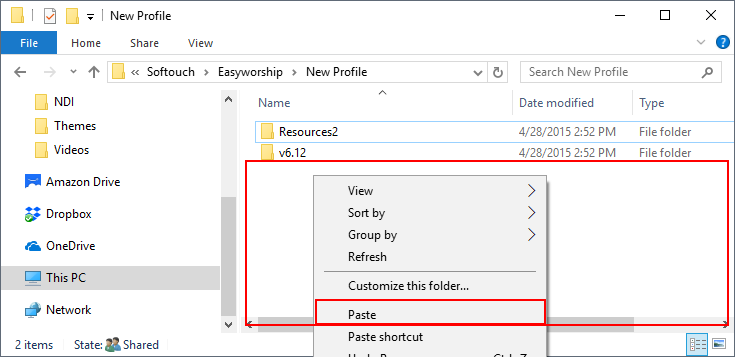
- Once the files have completed pasting, open EasyWorship to verify your database has transferred.
SEE Backup Data if you have not yet backed up your data and would like to know how.