Purchasing Bibles from EasyWorship
- Open EasyWorship.
- Click the Scriptures tab in the Resource Area.
- At the bottom of the Scriptures list on the left (list of currently installed bible versions), click More Available….
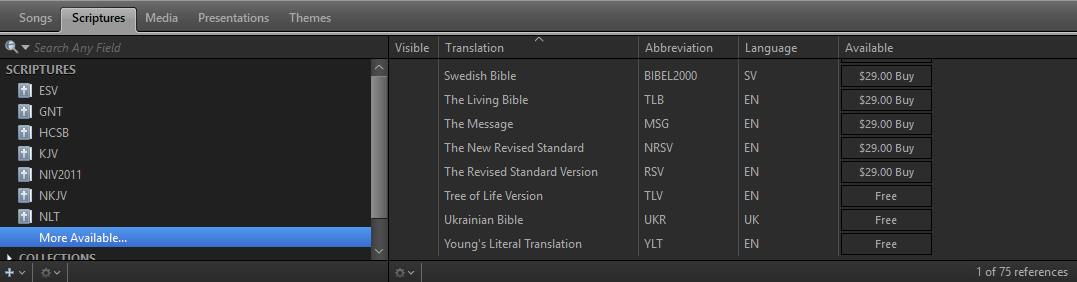
- In the list of available Scripture versions on the right you can see a full list of free and purchasable bible versions.
- Click Buy next to the Bible you would like to purchase. In the new window, log in to your EasyWorship account.
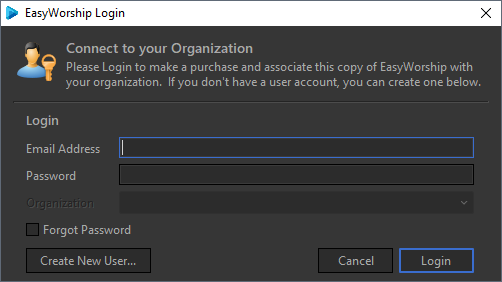
- Once you are logged in, make sure you’re connected to the correct Organization and click Buy.
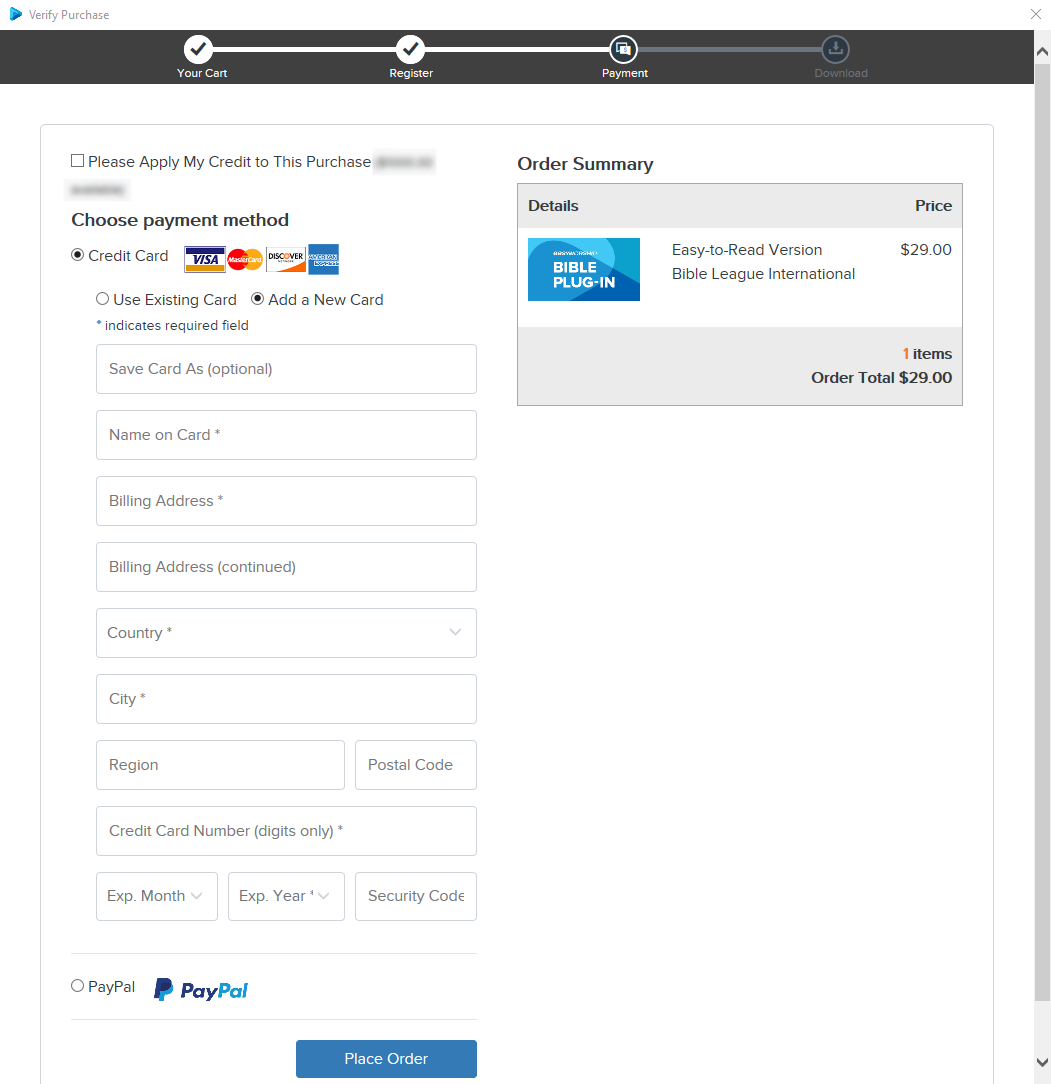
- A window will open to complete your purchase. Enter your payment information and click Place Order. When the order is complete, EasyWorship will automatically download and install the bible.
NOTE If you purchased a bible on easyworship.com, the bible will show as installed when you’re logged into EasyWorship with your account.